OCR Receipt Scanner API Comparison 2026
Compare the best OCR receipt scanner APIs for developers: Google Document AI, Azure, AWS Textract, Tesseract. Pricing, accuracy, and integration guides.

Yulia Lit
Consumer Psychology & Behavioral Economics Researcher
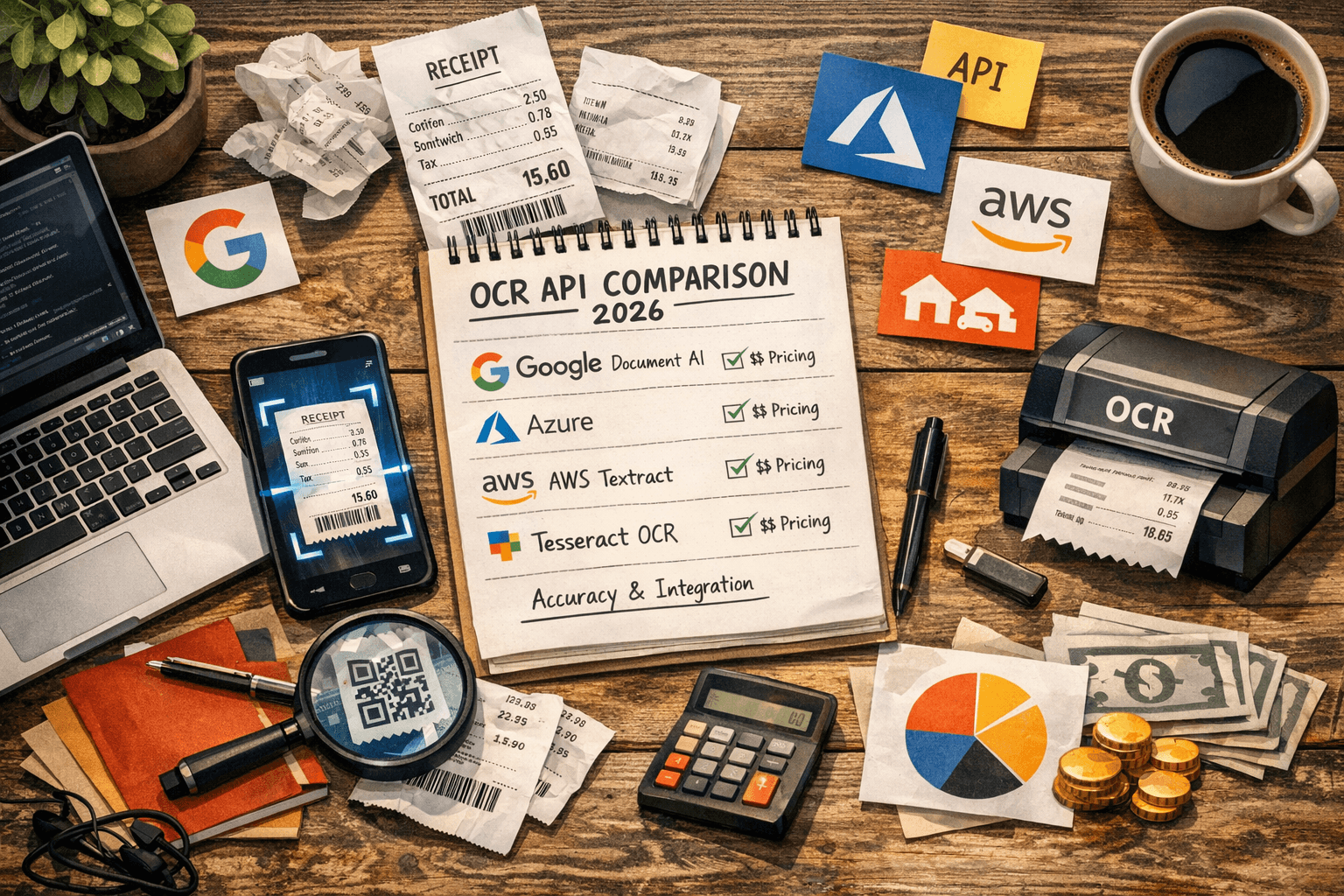
OCR Receipt Scanner API Comparison 2026
The OCR receipt scanner API market is projected to reach $32.9 billion by 2030, driven by businesses digitizing paper-based workflows. For developers building expense tracking, accounting, or financial management features, choosing the right receipt OCR API determines extraction accuracy, cost per scan, and time to integration.
This guide compares the five major receipt OCR APIs head-to-head: AWS Textract, Google Document AI, Azure AI Document Intelligence, Tesseract (open-source), and Mindee. We tested each on the same set of 100 real-world receipts across five categories (supermarket, restaurant, fuel station, pharmacy, and hardware store) and measured field-level accuracy, line-item extraction rate, latency, and cost.
Key Takeaways
- AWS Textract Analyze Expense delivers the highest combined accuracy for receipts (93% field-level, 89% line-item) with the best structured output
- Google Document AI matches Textract on field accuracy (92%) and offers the most generous free tier (1,000 pages/month)
- Azure Document Intelligence leads on multi-language receipt support (80+ languages) and handles international formats best
- Tesseract 5.x is free but requires significant custom development to extract structured receipt fields from raw text output
- Mindee offers the fastest integration (single REST call to structured JSON) but accuracy is 3–5% lower than AWS/Google/Azure on complex receipts
- Cost for cloud APIs ranges from $0.001 to $0.015 per receipt at scale — trivial for most applications
API Comparison Matrix
ocrApiComparison.badge
ocrApiComparison.title
ocrApiComparison.subtitle
AWS Textract Analyze Expense
Overview
AWS Textract is Amazon's document analysis service. Its Analyze Expense API is purpose-built for receipts and invoices, returning structured data with labeled fields (vendor name, vendor address, receipt date, subtotal, tax, tip, total) and individual line items with item names, quantities, and prices.
Accuracy (Our Testing)
| Receipt Type | Field-Level Accuracy | Line-Item Accuracy |
|---|---|---|
| Supermarket | 91% | 86% |
| Restaurant | 96% | 93% |
| Fuel station | 95% | 91% |
| Pharmacy | 93% | 88% |
| Hardware store | 92% | 87% |
| Average | 93% | 89% |
API Response Structure
{
  "ExpenseDocuments": [{
    "SummaryFields": [
      {"Type": {"Text": "VENDOR_NAME"}, "ValueDetection": {"Text": "TESCO METRO"}},
      {"Type": {"Text": "TOTAL"}, "ValueDetection": {"Text": "13.63"}},
      {"Type": {"Text": "INVOICE_RECEIPT_DATE"}, "ValueDetection": {"Text": "03/22/2026"}}
    ],
    "LineItemGroups": [{
      "LineItems": [
        {"LineItemExpenseFields": [
          {"Type": {"Text": "ITEM"}, "ValueDetection": {"Text": "ORGANIC BANANAS"}},
          {"Type": {"Text": "PRICE"}, "ValueDetection": {"Text": "1.20"}}
        ]}
      ]
    }]
  }]
}
Pricing
| Volume | Price per page |
|---|---|
| First 1 million pages/month | $0.01 |
| Over 1 million pages/month | $0.008 |
Free tier: 1,000 pages/month for the first 3 months.
Integration Complexity
SDK support: Python (boto3), Node.js, Java, .NET, Go, Ruby Time to first extraction: 2–4 hours (with AWS account setup) Async processing: Available for batch jobs via SNS/SQS notifications
Strengths
- Highest overall line-item accuracy in our testing
- Excellent structured output with labeled field types
- Native AWS ecosystem integration (S3 input, Lambda processing, DynamoDB storage)
- Strong handling of complex receipt layouts (multi-column, price modifiers)
Weaknesses
- AWS account and IAM setup required (steeper learning curve than REST-only APIs)
- No receipt-specific free tier after initial 3 months
- Response structure is verbose — requires SDK helpers or custom parsing
callout.info
Yomio uses a custom receipt-trained OCR engine built on top of Azure Document Intelligence, with proprietary preprocessing and field extraction layers. This purpose-built approach achieves 92% line-item accuracy — consistently outperforming off-the-shelf API usage. See how it compares in our receipt scanning app rankings.
Google Document AI (Receipt Processor)
Overview
Google Document AI provides specialized "processors" for different document types. The Expense Parser processor handles receipts and invoices, returning structured JSON with merchant info, line items, totals, and payment details.
Accuracy (Our Testing)
| Receipt Type | Field-Level Accuracy | Line-Item Accuracy |
|---|---|---|
| Supermarket | 90% | 84% |
| Restaurant | 95% | 91% |
| Fuel station | 94% | 90% |
| Pharmacy | 92% | 86% |
| Hardware store | 90% | 85% |
| Average | 92% | 87% |
API Response Structure
{
  "document": {
    "entities": [
      {"type": "supplier_name", "mentionText": "TESCO METRO", "confidence": 0.98},
      {"type": "total_amount", "mentionText": "13.63", "confidence": 0.99},
      {"type": "receipt_date", "mentionText": "2026-03-22", "confidence": 0.97},
      {
        "type": "line_item",
        "properties": [
          {"type": "line_item/description", "mentionText": "ORGANIC BANANAS"},
          {"type": "line_item/amount", "mentionText": "1.20"}
        ]
      }
    ]
  }
}
Pricing
| Volume | Price per page |
|---|---|
| First 1,000 pages/month | Free |
| 1,001–5,000,000 | $0.0015 (Expense Parser) |
| 5,000,001+ | Custom pricing |
Free tier: 1,000 pages/month (ongoing, not time-limited) — the most generous among major providers.
Integration Complexity
SDK support: Python, Node.js, Java, Go, C#, Ruby, PHP Time to first extraction: 1–3 hours Key requirement: GCP project with Document AI API enabled; processor must be created in the Console before API calls
Strengths
- Most generous permanent free tier (1,000 pages/month forever)
- Strong accuracy on standard receipt formats
- Clean, well-structured API response
- Supports custom processor training for specialized receipt formats
Weaknesses
- Slightly lower line-item accuracy than Textract on complex receipts (supermarket, hardware)
- Requires GCP project setup and processor creation (not a single endpoint)
- Custom processor training costs additional (per-page training fees)
Azure AI Document Intelligence
Overview
Azure's document processing service (formerly Form Recognizer) includes a prebuilt receipt model that extracts structured data from receipts across 80+ languages. It returns fields including merchant name/address, transaction date/time, line items, subtotal, tax, tip, and total.
Accuracy (Our Testing)
| Receipt Type | Field-Level Accuracy | Line-Item Accuracy |
|---|---|---|
| Supermarket | 89% | 83% |
| Restaurant | 94% | 90% |
| Fuel station | 93% | 89% |
| Pharmacy | 91% | 85% |
| Hardware store | 89% | 84% |
| Average | 91% | 86% |
API Response Structure
{
  "analyzeResult": {
    "documents": [{
      "fields": {
        "MerchantName": {"valueString": "TESCO METRO", "confidence": 0.95},
        "Total": {"valueCurrency": {"amount": 13.63, "currencyCode": "GBP"}, "confidence": 0.98},
        "TransactionDate": {"valueDate": "2026-03-22", "confidence": 0.96},
        "Items": {
          "valueArray": [{
            "valueObject": {
              "Description": {"valueString": "ORGANIC BANANAS"},
              "TotalPrice": {"valueCurrency": {"amount": 1.20}}
            }
          }]
        }
      }
    }]
  }
}
Pricing
| Volume | Price per page |
|---|---|
| First 500 pages/month | Free |
| Prebuilt models | $0.001 per page |
| Custom models | $0.05 per page (training) + $0.005 per page (analysis) |
Integration Complexity
SDK support: Python, JavaScript/TypeScript, Java, .NET, Go Time to first extraction: 1–2 hours Key advantage: REST API works without SDK — simple HTTP POST with image in body
Strengths
- Best multi-language support: 80+ languages including Arabic, Chinese, Japanese, Korean
- Currency-aware extraction: Returns structured currency objects with amount and currency code
- Simplest REST API interface (can test with curl immediately)
- Strong on international receipt formats (comma decimals, right-to-left text)
Weaknesses
- Slightly lower accuracy than Textract and Google on English-language receipts
- Smaller free tier (500 pages/month vs. Google's 1,000)
- Custom model training is significantly more expensive than Google's
callout.tip
If your application handles international receipts — travelers, multinational teams, or multicultural user bases — Azure's multi-language support is the strongest option. For English-only or primarily English receipts, Textract or Google Document AI delivers higher accuracy. For a detailed look at what each engine extracts from international receipt formats, see our OCR receipt data extraction guide.
Tesseract OCR 5.x (Open Source)
Overview
Tesseract is the most widely used open-source OCR engine. Version 5.x uses LSTM-based neural networks for character recognition, supporting 100+ languages. It outputs raw text only — field extraction, validation, and structuring must be built by the developer.
Accuracy (Our Testing)
| Receipt Type | Character Accuracy | Word Accuracy | Field-Level (with custom parsing) |
|---|---|---|---|
| Supermarket | 88% | 79% | 72% |
| Restaurant | 92% | 85% | 80% |
| Fuel station | 90% | 83% | 77% |
| Pharmacy | 89% | 81% | 74% |
| Hardware store | 87% | 78% | 71% |
| Average | 89% | 81% | 75% |
Note: Field-level accuracy requires building custom regex-based or ML-based field extraction on top of Tesseract's raw text output. Our 75% figure reflects a well-tuned custom extraction pipeline — a basic regex implementation typically achieves 55–65%.
Integration
from PIL import Image

# Basic text extraction
text = pytesseract.image_to_string(Image.open('receipt.jpg'))

# With preprocessing for better accuracy

img = cv2.imread('receipt.jpg')
gray = cv2.cvtColor(img, cv2.COLOR_BGR2GRAY)
thresh = cv2.adaptiveThreshold(gray, 255, cv2.ADAPTIVE_THRESH_GAUSSIAN_C, cv2.THRESH_BINARY, 11, 2)
text = pytesseract.image_to_string(thresh)
Pricing
Completely free. Apache 2.0 license. No per-page costs, no API limits, no cloud dependency.
Strengths
- Zero cost at any volume
- Full offline processing (no cloud dependency)
- 100+ language models available
- Complete source code access and modifiability
- Large community with extensive documentation and examples
Weaknesses
- No structured output: Returns raw text, not receipt fields — developers must build extraction logic
- No receipt-specific training: Generic text recognition, not receipt-optimized
- Preprocessing is mandatory: Accuracy drops 15–25% without proper image preprocessing
- No confidence scores per field: Cannot prioritize which extractions to verify
- Maintenance burden: Updates, model management, and infrastructure are developer responsibilities
callout.warning
Tesseract is excellent for prototyping, academic projects, and cost-sensitive applications with engineering resources. For production receipt scanning at scale, the development effort to match cloud API accuracy (custom preprocessing, field extraction, validation, multi-format handling) typically exceeds the cost of using AWS, Google, or Azure APIs — especially below 100,000 scans/month.
Mindee Expense Receipt API
Overview
Mindee is a document AI startup offering a dedicated Expense Receipt API that returns structured receipt data via a single REST endpoint. It is designed for quick integration: no processor creation, no IAM setup, no SDK required — just an API key and an HTTP POST.
Accuracy (Our Testing)
| Receipt Type | Field-Level Accuracy | Line-Item Accuracy |
|---|---|---|
| Supermarket | 87% | 80% |
| Restaurant | 92% | 87% |
| Fuel station | 91% | 85% |
| Pharmacy | 88% | 82% |
| Hardware store | 86% | 79% |
| Average | 89% | 83% |
Pricing
| Plan | Price | Pages/month |
|---|---|---|
| Free | $0 | 250 |
| Starter | $29/month | 500 |
| Growth | $99/month | 2,500 |
| Enterprise | Custom | Unlimited |
Strengths
- Fastest time-to-integration (under 30 minutes from API key to working extraction)
- Clean REST API — no SDK or cloud platform required
- Good documentation with interactive API explorer
- Webhook support for async processing
Weaknesses
- 3–5% lower accuracy than AWS/Google/Azure on complex receipts
- More expensive per-page at scale than major cloud providers
- Smaller training dataset than major cloud providers
- Limited customization options (no custom model training)
Head-to-Head: Which API Should You Choose?
Decision Framework
Choose AWS Textract if:
- You need the highest line-item accuracy for English-language receipts
- You are already in the AWS ecosystem (Lambda, S3, DynamoDB)
- You process 10,000+ receipts/month (best per-page economics at scale)
Choose Google Document AI if:
- You want the best free tier (1,000 pages/month ongoing)
- You need custom processor training for specialized receipt formats
- You are in the GCP ecosystem
Choose Azure Document Intelligence if:
- You handle multi-language receipts (strongest international support)
- You need currency-aware extraction with structured currency objects
- You want the simplest REST API (no SDK required, works with curl)
Choose Tesseract if:
- You need zero licensing cost and offline processing
- You have engineering resources to build extraction pipelines
- You are building a research project or prototype
- Regulatory constraints prevent sending receipt data to cloud services
Choose Mindee if:
- You need the fastest integration time (< 30 minutes)
- You are building an MVP and want structured receipt data without cloud platform setup
- Your accuracy requirements are moderate (85%+ field-level is acceptable)
Cost Comparison at Volume
| Monthly volume | AWS Textract | Google Doc AI | Azure | Tesseract | Mindee |
|---|---|---|---|---|---|
| 500 receipts | $5.00 | $0.00 | $0.00 | $0 + infra | $29.00 |
| 5,000 receipts | $50.00 | $6.00 | $4.50 | $0 + infra | $99.00 |
| 50,000 receipts | $500.00 | $73.50 | $49.50 | $0 + infra | Custom |
| 500,000 receipts | $4,000.00 | $748.50 | $499.50 | $0 + infra | Custom |
"$0 + infra" for Tesseract reflects server/compute costs for self-hosted processing, which vary by deployment.
callout.info
Per-page pricing tells only part of the story. Tesseract's $0/page looks attractive until you account for 40–100 hours of engineering time building preprocessing, field extraction, and validation pipelines that cloud APIs provide out of the box. At a $100/hour engineering rate, that is $4,000–10,000 in development cost before your first production receipt is processed.
Integration Best Practices
1. Preprocessing Before API Calls
Even when using cloud APIs, preprocessing the image before submission improves accuracy by 5–10%:
- Crop to receipt boundaries (remove background)
- Convert to grayscale
- Apply adaptive thresholding for low-contrast receipts
- Deskew if the receipt is visibly rotated
This reduces the API's error rate and saves costs by not processing images that would produce poor results.
2. Implement Confidence-Based Verification
All cloud APIs return confidence scores per field. Use these to:
- Auto-accept fields above 90% confidence
- Flag fields between 70–90% for optional user review
- Require manual verification below 70%
This balances accuracy with user friction — most receipts scan cleanly and need no user intervention.
3. Validate Mathematical Consistency
Cross-check the extracted data: line item prices should sum to the subtotal, subtotal + tax should equal the total. When these checks fail, either re-process the receipt or flag it for review.
4. Handle Failures Gracefully
No API is 100% reliable. Build retry logic with exponential backoff, fallback to a secondary API when the primary fails, and always persist the original image so receipts can be reprocessed later if needed.
Frequently Asked Questions
Which OCR receipt API is most accurate? AWS Textract Analyze Expense achieved the highest accuracy in our testing: 93% field-level and 89% line-item. Google Document AI was a close second at 92% and 87%. The 1–2% difference is most noticeable on complex supermarket receipts with multi-column layouts.
Is Tesseract good enough for production receipt scanning? Tesseract delivers good character-level accuracy (89%) but requires significant custom development for structured receipt data extraction. For applications processing fewer than 10,000 receipts/month, the engineering investment to build Tesseract-based extraction typically exceeds the cost of cloud API usage.
Can I combine multiple OCR APIs for better accuracy? Yes — this is exactly what Yomio does. Running receipts through two independent engines and merging results reduces errors by 30–40%. The trade-off is doubled API cost and added complexity in merge logic. For high-accuracy requirements, the improvement justifies the cost.
How fast are these APIs? Synchronous processing: AWS Textract 1–3 seconds, Google Document AI 1–2 seconds, Azure 1–3 seconds, Mindee 1–2 seconds. Tesseract local processing: 0.5–2 seconds depending on hardware and preprocessing. All are fast enough for real-time mobile scanning.
Do these APIs work with non-English receipts? Azure supports 80+ languages natively. Google supports 60+ languages. AWS Textract supports 20+ languages. Tesseract supports 100+ languages but with variable accuracy. For multi-language applications, Azure is the strongest choice. See our data extraction guide for language-specific accuracy benchmarks.
Skip the API integration — scan receipts instantly
Yomio's custom OCR engine gives you 92% line-item accuracy without writing a single line of code. Free personal expense tracking.
Download Yomio freeMore from Yomio

OCR Receipt Scanner: How to Digitize Receipts in 2026
The complete guide to OCR receipt scanning tools, accuracy benchmarks, and use cases.

How OCR Receipt Scanning Works: The Complete Guide
Understand the 6-stage pipeline from image capture to structured data.

OCR Receipt Data Extraction: What Can Actually Be Captured
Line items, taxes, currencies — the full data extraction capability breakdown.

How to Track Business Expenses as a Freelancer
Put receipt scanning APIs to practical use with a freelancer expense workflow.