Expense Tracking for Property Management Companies
Set up a reviewable process for maintenance receipts and property assignments. Keep tax classification and per-property reporting in the system that supports them.

Alex Chen
Product Manager & Personal Finance Advocate
Expense Tracking for Property Management Companies
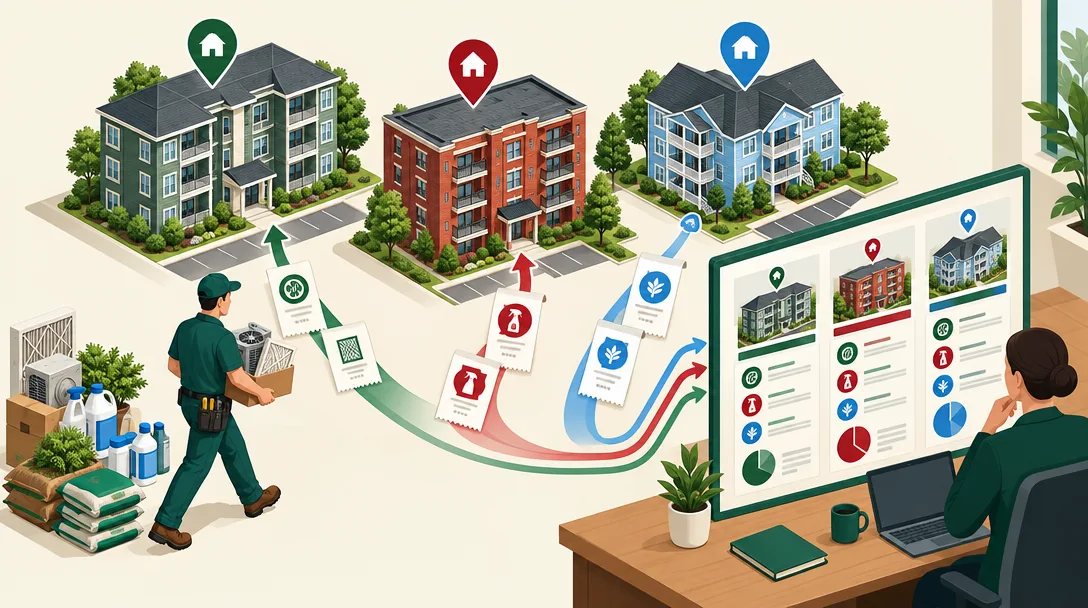
For each maintenance or supply purchase, keep the receipt and assign the expense to the correct property in your property-management or accounting system. A receipt tracker can collect the document, but it does not replace property coding, owner billing, or tax reporting.
Yomio Business Mode supports team receipt and manual expense records, optional approval, scheduled weekly or monthly summary emails, and CSV export. It does not provide property tags, per-property reports, owner statements, Schedule E reports, or direct QuickBooks or Xero sync.
Set a clear property assignment process
Write down how staff should identify a property when they buy parts, cleaning supplies, or services. Use the property ID or address already defined in the organization's accounting or property-management system. If a receipt covers more than one property, record the allocation there and retain the calculation.
Do not wait until month-end to guess which property a purchase belongs to. Ask the employee to note the property and business purpose while the details are available.
Capture receipts and review the expense
For each transaction, preserve the merchant, purchase date, amount, currency, receipt image, and reason for the purchase. Have a reviewer check the document against the expense entry and confirm the property assignment in the system of record.
If your team uses Yomio Business Mode, members can submit receipt-based or manually entered expenses for review. An administrator can configure an approval step. The approval records an internal review; it does not assign a property, verify a repair, or decide how the cost should be treated for tax purposes.
Export data for the accounting workflow
Yomio Business Mode can export expense data as CSV. Review the file and add or reconcile property references in the accounting or property-management system that supports them. A CSV export is not a live connection, owner statement, or tax schedule.
Business Mode can send weekly or monthly email reports for review. These reports summarize team expense activity; they do not create separate per-property totals.
Keep repairs, improvements, and other costs distinct
A maintenance receipt does not by itself show whether the cost should be treated as a repair, improvement, capital expense, owner charge, or another category. Keep invoices and supporting records, then apply your organization's accounting policy and tax rules.
For U.S. residential rental property, IRS Publication 527 explains rental income, expenses, and depreciation. The tax result can depend on property use, ownership, the nature of the work, and other facts. Use current IRS guidance or a qualified tax professional for a specific decision.
Reconcile the month before sending owner statements
At period close, compare receipts with the accounting ledger, payment records, work orders, and any owner billing. Check for duplicates, refunds, missing source documents, and costs allocated across multiple properties.
Use the property-management or accounting system to produce property-level figures. Keep the supporting receipt and the final coding decision together under the organization's retention process.
Questions to ask before selecting software
- Can users assign each expense to a property or work order as a structured field?
- Can reviewers see the source receipt and edit an incorrect assignment?
- Can the system produce property-specific and owner-specific reports?
- Does it support the accounting export format and workflow you use?
- Are approvals and user access suitable for maintenance staff and administrators?
Test the full process with a small sample before moving all staff to a new tool. Verify the exported data in the destination system instead of assuming the files will map automatically.
Collect maintenance receipts for review
Yomio Business Mode can collect team expense records and export CSV data. Keep property assignment, owner reporting, and tax coding in the systems built for those steps.
Explore Business ModeFrequently asked questions
Can Yomio tag a receipt to a property?
Yomio Business Mode does not provide property tags. Record the property assignment in a property-management or accounting system that supports it.
Can Yomio make Schedule E reports?
No. It does not prepare tax forms or decide tax treatment.
Does Yomio connect directly to QuickBooks or Xero?
No. It provides CSV export for a separate import and review process.
Does approval mean that a repair is deductible?
No. Approval is an internal review step, not a tax determination.