Expense Tracking for Small Trucking and Delivery Fleets Beyond IFTA
A small fleet can keep IFTA fuel-tax work separate from driver-paid expenses. Learn how to collect, review, and reconcile receipts without claiming a live accounting integration.

Alex Chen
Product Manager & Personal Finance Advocate
Expense Tracking for Small Trucking and Delivery Fleets Beyond IFTA
For a small fleet, keep IFTA fuel-tax work in the system your fleet already uses and collect driver-paid expenses in a separate, reviewable workflow. Yomio Business Mode can collect receipt records, support an optional approval step, send scheduled weekly or monthly reports, and export expense data as CSV. It does not file IFTA returns, track mileage or routes, or connect directly to QuickBooks or Xero.
What to record for driver-paid expenses
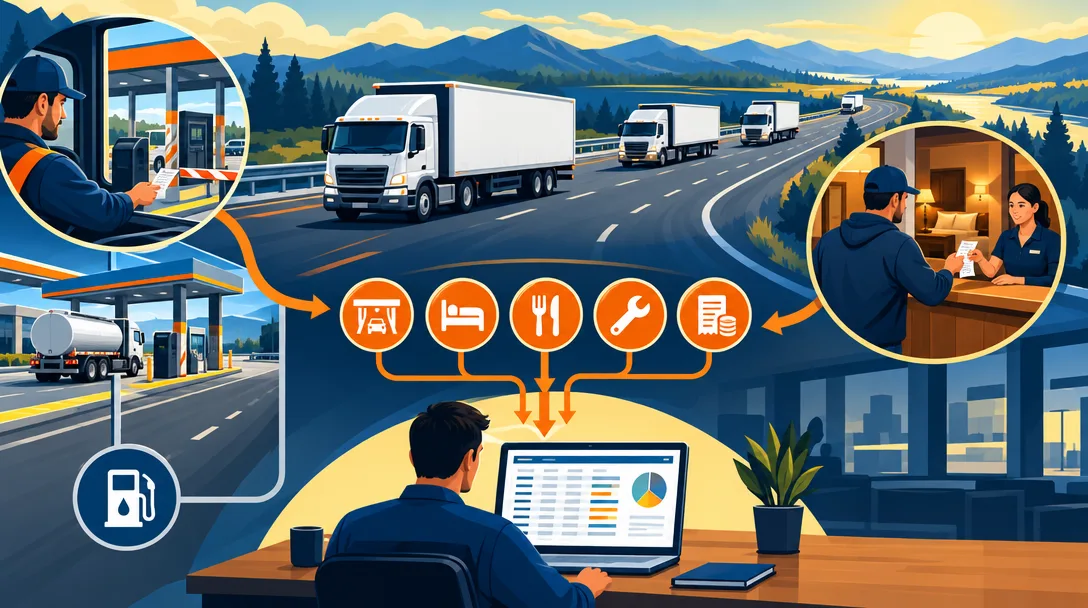
Use a consistent process for tolls, parking, lodging, meals, and road repairs paid outside a fuel card or centralized account.
For each item, keep the receipt or other supporting record and capture the date, amount, vendor, business purpose, driver, and any required job or trip reference.
The exact records and reimbursement treatment depend on your business policy and applicable tax rules.
Keep fuel tax and everyday expenses in the right workflow
IFTA reporting uses fuel and distance information to calculate fuel tax for participating jurisdictions.
Use your IFTA or fleet system for the records and filings it supports.
Use an expense workflow for receipts and driver-paid costs that do not flow through that system.
Reconcile both sets of records with statements and your bookkeeper before closing a reporting period.
Do not assume that a receipt scan or a per diem policy replaces required travel, mileage, or tax records.
Ask a tax professional which records and reimbursement rules apply to your fleet.
A practical driver expense workflow
1. Set the policy before the route
Tell drivers which expenses need a receipt, what business details to include, who reviews a submission, and how quickly to submit it.
Set separate instructions for cash expenses, fuel-card purchases, and mileage or per diem records.
2. Capture the receipt
Have the driver submit a clear receipt image soon after the purchase while the details are easy to recall.
Check the date, amount, and vendor against the image.
Add a short business-purpose note when the receipt does not explain the work connection.
3. Review exceptions
An administrator can configure an approval step in Yomio Business Mode.
Use it to request clarification or mark a record for follow-up under your own policy.
An approval status is an internal review record; it does not prove that a cost is deductible or compliant.
4. Review reports and reconcile
Business Mode can send scheduled weekly or monthly expense reports.
Compare reported items with receipts, payment records, and statements.
Resolve missing details with the driver before the period closes.
5. Export for bookkeeping
Export expense data as CSV and review the columns before importing it into your accounting workflow.
Yomio does not send expenses through a live QuickBooks or Xero connection.
Your bookkeeper may need to map fields, add accounting details, or reconcile the import.
What Yomio can and cannot do
Yomio can help a team collect receipt images, organize submitted expense records, review them, and export data as CSV.
Yomio does not manage IFTA, verify tax eligibility, track vehicle location or mileage, calculate per diem, issue reimbursements, or maintain a cash balance.
Treat the app as a recordkeeping aid and keep the fleet, accounting, and tax systems that handle those other jobs.
Tipp
The system that gets used is the one that takes the least effort. Snap, tap, and synced beats spreadsheet every time.
Organize driver expense records
Yomio Business Mode helps teams collect receipt records, review submitted expenses, schedule weekly or monthly reports, and export data as CSV. Keep IFTA and tax decisions in the systems and workflows built for those jobs.
See Business ModeFrequently asked questions
Does Yomio replace IFTA software?
No. Use the IFTA system and records required for your fleet's fuel-tax reporting. Yomio can help organize receipt records for other submitted expenses.
Does Yomio connect directly to QuickBooks or Xero?
No. You can export expense data as CSV for a separate bookkeeping workflow.
Can we require a manager to review expenses?
Business Mode supports a configurable approval step. Set the policy and approval rules for your team, then review submitted records before export.
Does a scanned receipt prove an expense is deductible?
No. A scan helps preserve a document, but deductibility and substantiation depend on the expense and applicable rules. Ask a qualified tax professional about uncertain items.
Can the app keep mileage and per diem records?
Do not use Yomio as a mileage, route, IFTA, or per diem calculator. Keep those records in a workflow designed for them and confirm the requirements with your tax professional.
Final takeaway
Separate fuel-tax records from other driver expenses, set a clear submission policy, review receipts and exceptions, and reconcile the records before export. Yomio can support receipt collection and CSV reporting, while IFTA calculations, mileage records, accounting imports, reimbursements, and tax decisions remain in their appropriate workflows.