OCR Receipt Data Extraction: What Can Be Captured
What data can OCR extract from receipts? Line items, taxes, currencies, multi-language text — a complete breakdown of receipt data extraction capabilities.

Yulia Lit
Consumer Psychology & Behavioral Economics Researcher
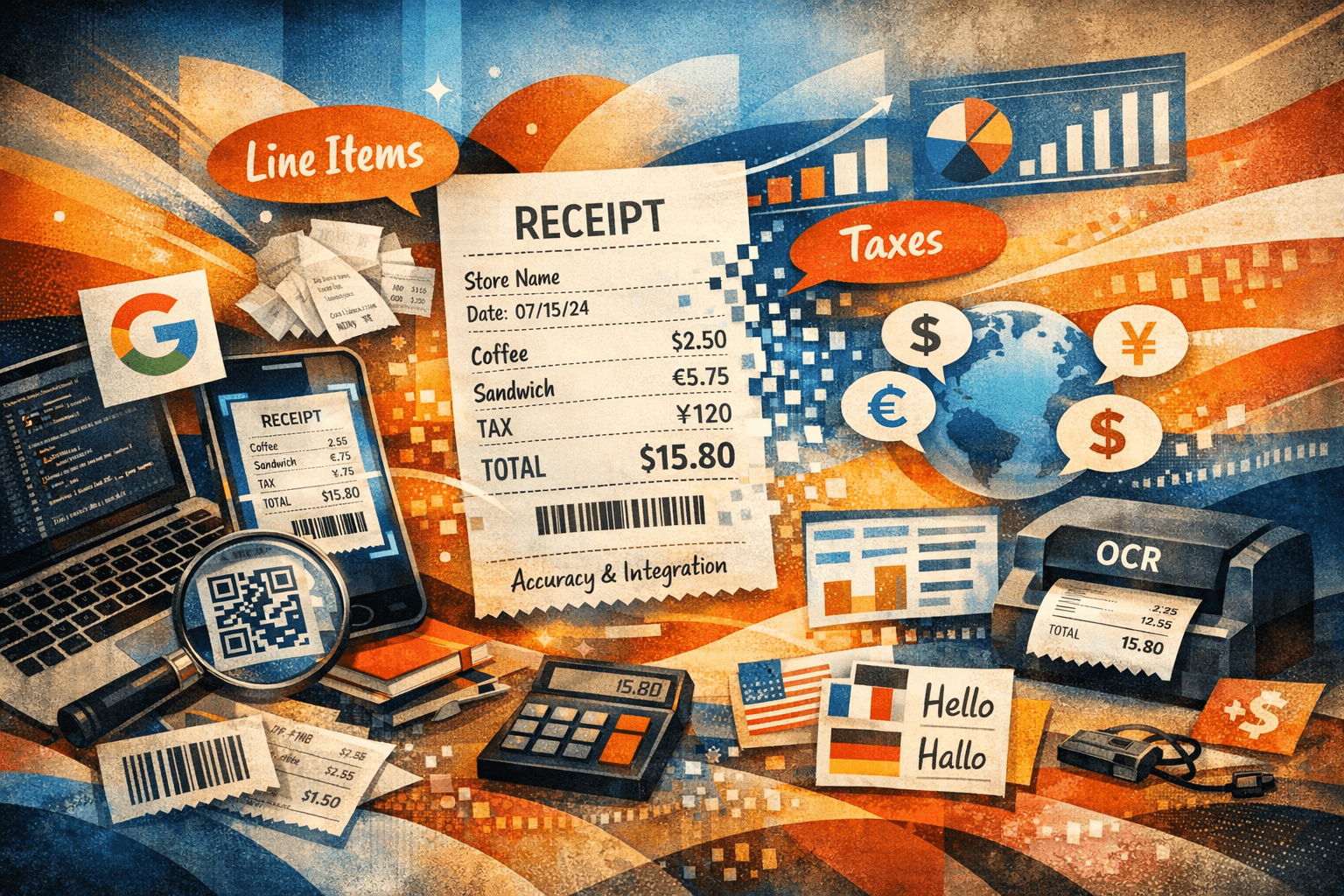
OCR Receipt Data Extraction: What Can Actually Be Captured
The average grocery receipt contains 12–18 line items — but most receipt scanning apps only extract the total. That gap between what data exists on a receipt and what your app actually captures determines whether you can analyze your spending in detail or just confirm what your bank statement already shows.
OCR receipt data extraction has advanced significantly since the early days of total-only scanning. Modern engines trained on millions of receipt examples can now extract 20+ distinct data fields from a single receipt — from merchant name and address to individual line items with quantities, unit prices, discounts, and tax breakdowns.
But not every engine extracts the same fields, and accuracy varies dramatically across receipt types, languages, and specific data points. This guide breaks down exactly what modern OCR can extract from receipts, what it still struggles with, and which fields matter most for different use cases.
Key Takeaways
- Modern receipt OCR can extract 20+ distinct data fields per receipt, far beyond merchant name and total
- Line-item extraction (individual products with prices) is the most valuable and most technically challenging field
- Accuracy varies by field type: merchant name and total are 90–95% accurate; line items are 80–92%
- Multi-language receipts (Arabic, Chinese, Japanese, Korean) are now supported by major engines but require specialized models
- For personal expense tracking, line-item data enables category-level spending analysis that total-only data cannot provide
- For business use, accurate extraction of tax breakdowns, payment methods, and merchant addresses supports automated bookkeeping
The Complete Receipt Data Field Map
A standard receipt contains far more structured data than most people realize. Here is every data field that modern OCR engines can attempt to extract:
receiptDataChecklist.badge
receiptDataChecklist.title
receiptDataChecklist.subtitle
Tier 1: High-Accuracy Fields (90–98% Extraction Rate)
These fields are reliably extracted by all major OCR engines because they appear consistently across receipt formats and have distinctive patterns.
Merchant Name
Accuracy: 93–98% Why it is easy: Merchant names typically appear at the very top of the receipt in large, bold text — the most prominent element on the page. Where it fails: Receipts from independent shops with decorative fonts, unusual logos integrated with text, or receipts where the merchant name is printed only as part of a logo graphic (not as text).
Transaction Total
Accuracy: 95–98% Why it is easy: The total is almost always the last numerical value before the payment line, preceded by "TOTAL," "AMOUNT DUE," or language equivalent. Its position is predictable and its label is distinctive. Where it fails: Receipts with multiple totals (subtotals, tax totals, balance due, change given) where the engine must identify which is the actual charged amount. Tip-included restaurant receipts where the pre-tip and post-tip totals both appear.
Transaction Date
Accuracy: 90–96% Why it is easy: Dates follow recognizable patterns (DD/MM/YYYY, MM/DD/YYYY, YYYY-MM-DD) and appear near the top or bottom of the receipt. Where it fails: Date format ambiguity (is 03/04/2026 March 4th or April 3rd?), receipts with multiple dates (transaction date, printed date, return-by date), and receipts where the date is only partially printed or cut off.
callout.info
In the US, 03/04/2026 means March 4th. In most of the world, it means April 3rd. Without knowing the receipt's country of origin, OCR engines must use context clues: merchant address, currency symbol, and language to determine the correct date interpretation. Yomio resolves this using the device's locale settings combined with merchant country detection.
Payment Method
Accuracy: 91–95% Why it is easy: Payment lines follow standard patterns: "VISA ****1234," "MASTERCARD ENDING 5678," "CASH TENDERED." What is extracted: Card type (Visa, Mastercard, Amex), last four digits, cash/card distinction, contactless indicator.
Tier 2: Moderate-Accuracy Fields (80–92% Extraction Rate)
These fields require receipt-specific training to extract reliably. General-purpose OCR tools typically miss or misparse them.
Line Items (Individual Products)
Accuracy: 80–92% (varies significantly by receipt type) What is extracted: Product name/description, quantity, unit price, total price per item, discount applied.
Line-item extraction is the single most valuable capability gap between basic and advanced receipt scanning. With total-only data, you know you spent £86.40 at Tesco. With line-item data, you know you spent £22.80 on protein products, £18.60 on cleaning supplies, and £8.40 on premium olive oil — enabling the category-level analysis that drives spending awareness.
Why Line Items Are Hard to Extract
1. Layout variability: No two retailers format line items identically. Column widths, alignment, spacing, and field ordering vary across thousands of POS systems:
Format A (UK supermarket):
ORGANIC BANANAS        1.20
WHOLE MILK 2L          1.85

Format B (US grocery):
ORGANIC BANANAS    1   1.20  T
WHOLE MILK 2L      1   1.85

Format C (European):
1x ORGANIC BANANAS     1,20€
1x WHOLE MILK 2L       1,85€
2. Abbreviated product names: POS systems truncate product names to fit receipt width:
- "ORG BN CHKN BRST" → Organic Bone-In Chicken Breast
- "SC CRM CHSE 200G" → Soft Cream Cheese 200g
- "GF PASTA PENNE" → Gluten-Free Pasta Penne
Resolving these abbreviations requires product database knowledge or contextual language models.
3. Price modifiers and discounts: Multi-buy deals, loyalty discounts, weight-based pricing, and coupon deductions create complex price structures:
CHICKEN BREAST 1KG    6.99
   2 FOR £10         -3.98
ROMAINE LETTUCE       0.89
   CLUBCARD PRICE    -0.30
DELI CHEESE 0.340kg
   @ £12.50/kg        4.25
4. Multi-line items: Some items span multiple print lines, with description on one line and price/details on the next:
PREMIUM COLOMBIAN
  SINGLE ORIGIN COFFEE
  250G WHOLE BEAN       5.49
Subtotal
Accuracy: 88–94% What is extracted: Pre-tax sum of all items. Challenge: Distinguishing subtotal from total when both appear, especially when the receipt uses non-standard labels like "GOODS TOTAL" or "NET AMOUNT."
Tax Breakdown
Accuracy: 85–92% What is extracted: Tax rate(s), tax amount(s), tax type (VAT, GST, sales tax), taxable vs. non-taxable line items. Challenge: Multi-rate tax receipts (common in Europe where food is taxed at a different rate than other goods) with separate tax calculations per rate:
VAT A (21%)    GOODS: 15.40   TAX: 3.23
VAT B (9%)     GOODS:  4.80   TAX: 0.43
VAT C (0%)     GOODS:  2.30   TAX: 0.00
Extracting each rate correctly with its associated amounts is significantly harder than extracting a single total tax figure.
callout.tip
Freelancers claiming business expenses need accurate tax breakdowns to reclaim VAT/GST on eligible purchases. A receipt scanning system that extracts only the total forces the freelancer to manually calculate the tax component — or miss reclaimable tax entirely. For the complete freelancer expense workflow, see our freelancer expense tracking guide.
Tier 3: Advanced Fields (70–85% Extraction Rate)
These fields are extracted only by specialized receipt OCR engines and require significant receipt-format training.
Merchant Address
Accuracy: 75–85% What is extracted: Street address, city, postal code, country. Challenge: Address formats vary by country and are often printed in small text with abbreviations. Multi-line addresses require the engine to group related lines correctly.
Merchant Contact Information
Accuracy: 70–80% What is extracted: Phone number, website, email. Challenge: These fields appear inconsistently and in variable positions on receipts.
Currency
Accuracy: 80–90% What is extracted: Currency code (USD, GBP, EUR) or symbol ($, £, €). Challenge: Some receipts do not print a currency symbol (assuming local currency), requiring the engine to infer currency from merchant address or receipt language. Multi-currency receipts (common in airport shops and border towns) show both currencies and the exchange rate used.
Receipt Number / Transaction ID
Accuracy: 75–85% What is extracted: Unique transaction identifier, receipt sequence number. Challenge: These are long alphanumeric strings that look similar to other codes (store IDs, register numbers, VAT registration numbers).
Tip Amount
Accuracy: 82–90% (restaurant receipts only) What is extracted: Tip amount, total including tip. Challenge: Handwritten tips on printed receipts require ICR (Intelligent Character Recognition), which most engines do not support. Pre-calculated tip suggestions ("15%: $4.50, 18%: $5.40, 20%: $6.00") may be confused with actual tip selection.
Multi-Language Receipt Data Extraction
Global receipt scanning is one of the hardest OCR challenges because receipts combine language-specific text with universal numerical data in formats that vary by country and culture.
Arabic Receipt Scanning
Arabic receipts present unique challenges:
- Right-to-left text direction for product names and labels
- Left-to-right numbers (Arabic numerals or Hindi-Arabic numerals) mixed within RTL text lines
- Mixed Arabic-English content (brand names often in English, descriptions in Arabic)
- Connected script where character shapes change based on position within a word
Azure Document Intelligence currently leads on Arabic receipt accuracy, with field-level accuracy of 85–88% on modern Arabic POS receipts. Yomio supports Arabic receipt processing through its Azure engine integration.
Chinese/Japanese/Korean Receipt Scanning
CJK receipts add:
- Character-based product names without word boundaries (no spaces between words)
- Thousands of possible characters (vs. 26 in Latin alphabets)
- Mixed-width characters (full-width CJK characters next to half-width numbers and Latin characters)
- Vertical text in some traditional Japanese receipt formats
Modern CJK receipt accuracy: 82–88% field-level, 75–85% line-item.
European Multi-Language
Continental European receipts use:
- Comma as decimal separator (€13,63 not €13.63)
- Period as thousands separator (€1.300,00 not €1,300.00)
- Multi-language content (product names in local language, brand names in English)
- IBAN and VAT registration formats varying by country
Most cloud OCR engines handle European formats well (88–93% accuracy) because their training datasets are heavily weighted toward European and American receipt formats.
callout.success
Yomio's custom receipt-trained OCR engine handles 20+ languages for receipt processing, including Arabic, Chinese, Hindi, Japanese, Korean, Russian, and Ukrainian. The engine combines specialized preprocessing with language-specific extraction models to handle mixed-script receipts accurately. This is why multi-language receipt accuracy in Yomio (88%) exceeds what standard off-the-shelf engines achieve (82–85%).
What OCR Receipt Extraction Still Cannot Do Reliably
Handwritten Text
Handwritten notes, manual price corrections, and handwritten receipts are beyond standard OCR capability. ICR (Intelligent Character Recognition) exists but achieves only 60–70% accuracy on typical handwriting — too low for reliable financial data.
Severely Faded Thermal Receipts
Thermal paper older than 6–12 months may have insufficient print contrast for any preprocessing to recover. Once the thermal coating has degraded beyond a threshold, the information is physically gone — no software can extract text that no longer exists on the paper.
Receipt Photos With Occlusion
Receipts partially covered by fingers, other objects, or folded over themselves produce incomplete data. OCR engines cannot reconstruct occluded text. Best practice: ensure the full receipt is visible and unobstructed when scanning.
Implied Data
OCR extracts what is printed. Information implicit in context (that a specific store always charges sales tax on non-food items, that a discount code came from a particular loyalty program) requires business logic beyond the OCR layer.
Which Fields Matter for Your Use Case
Personal Expense Tracking
Critical: Line items (for category analysis), total (for budget tracking), merchant name (for merchant-level trends), date Useful: Tax (for understanding pre-tax spending), payment method (for tracking which cards are used where) Not needed: Merchant address, receipt number, contact information
The best receipt scanning apps for personal use prioritize line-item extraction and automatic categorization over exhaustive field extraction.
Freelancer Tax Deductions
Critical: Total, tax breakdown (for VAT/GST reclaim), merchant name, date, payment method Useful: Line items (for separating business and personal items on mixed receipts), merchant address (for geographic expense analysis) Not needed: Receipt number (unless your accountant requires it)
Corporate Expense Management
Critical: Total, merchant name, date, payment method, currency (for multi-currency reconciliation) Useful: Tax breakdown (for compliance), receipt number (for audit trails), merchant address Not needed for individuals: Line items (corporate expense policies typically care about merchant categories and totals, not individual items)
HR Teams and Employee Expense Claims
Line-item extraction offers specific benefits for HR expense management:
- Policy compliance verification: Checking whether claimed items fall within expense policy (meals under $50, no alcohol, etc.)
- Fraud detection: Identifying duplicate receipts or receipts with unusual item patterns
- Category analysis: Understanding expense patterns across teams and departments
- Automated approval routing: Line items under policy thresholds can be auto-approved, while exceptions are flagged
Maximizing Data Extraction Quality
Step 1: Scan Fresh Receipts
The single highest-impact action for extraction quality is scanning receipts within 24 hours. Fresh thermal paper provides maximum contrast and character clarity. Every day of delay reduces effective accuracy.
Step 2: Clean Image Capture
Lay the receipt flat, ensure even lighting, and frame the full receipt in the camera view. A clean image eliminates preprocessing challenges and lets the OCR engine work on its highest-accuracy pathway.
Step 3: Verify Critical Fields
Spend 3 seconds confirming total and merchant name after each scan. These two fields anchor all downstream analysis and are worth the minimal time investment.
Step 4: Use an App With Line-Item Support
Most spending insights require item-level data. If your app only captures totals, you are capturing less than 30% of the valuable data on each receipt. Yomio's custom OCR engine extracts line items on 92% of receipts — the highest rate among consumer receipt scanning apps.
Frequently Asked Questions
What is the most important data field OCR extracts from receipts? For personal finance: line items (individual products and prices). This is the only field that enables category-level spending analysis. For business expense reporting: the total and date are most critical for reimbursement workflows.
Can OCR extract data from handwritten receipts? Standard OCR cannot reliably process handwriting. ICR (Intelligent Character Recognition) handles it at 60–70% accuracy — too low for financial data. Manual entry remains the most reliable option for handwritten receipts.
How does OCR handle receipts with multiple languages? Modern engines like Azure Document Intelligence support 80+ languages. They detect the primary language and apply the appropriate character model. Mixed-language receipts (e.g., Arabic product names with English brand names) are handled by multi-model processing that switches between language models within a single document.
What happens when OCR extracts the wrong total? Good receipt scanning apps implement mathematical validation: extracted line items should sum to the subtotal, and subtotal + tax should equal the total. When these checks fail, the app flags the receipt for user review. Yomio surfaces these inconsistencies as a tap-to-correct prompt, so errors are caught before they affect your spending analysis.
Can OCR extract data from email receipts? Yes — more accurately than from paper receipts. Email receipts (HTML or PDF) contain machine-readable text that can be parsed directly without image-based OCR. Accuracy for structured data extraction from digital receipts approaches 98–99%.
Extract every data point from your receipts
Yomio's custom OCR engine captures line items, taxes, and 20+ fields from every receipt — automatically categorized for spending analysis. No bank account needed.
Try Yomio freeMore from Yomio

OCR Receipt Scanner: How to Digitize Receipts in 2026
Compare the best OCR receipt scanning tools by accuracy, features, and price.

How OCR Receipt Scanning Works: The Complete Guide
The 6-stage pipeline from image capture to structured receipt data.

OCR Receipt Scanner API Comparison 2026
Developer guide to receipt OCR APIs with pricing and accuracy benchmarks.

Best Ways to Track Your Spending in 2026
How to turn extracted receipt data into a spending tracking system that works.